

You're fully booked with existing patients, doing good work, and relying mostly on referrals from doctors and past patients to keep things moving. That system works — until it doesn't. A slow month, a referring physician who retires, a competitor opening nearby. Referrals are great, but they're not something you control.
Meanwhile, people in your area are searching Google right now for "physical therapy near me" or "PT for lower back pain." Whether your practice shows up — and what they see when it does — makes a significant difference in whether they call you or call someone else.
Here are seven reasons practices miss out on those patients, and what to do about each one.
1. Your Google Business Profile is incomplete — or missing entirely
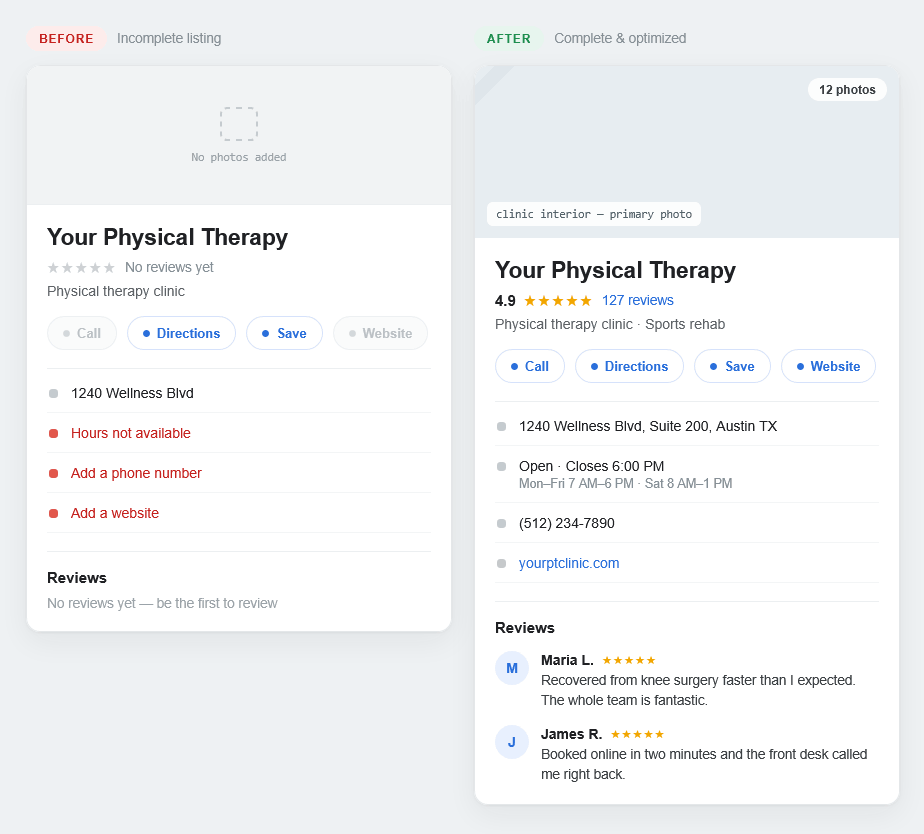
The same clinic, before and after a 30-minute profile tune-up.
Before most people ever visit your website, they see your Google Business Profile. It's the listing that shows up on the map when someone searches for a physical therapist nearby. It shows your hours, your location, your phone number, and your reviews.
If yours is incomplete — wrong hours, no photos, no services listed, few or no reviews — patients will scroll right past you to a practice that looks more established. And if you haven't claimed your listing at all, Google may be showing outdated information that was pulled automatically.
What to do: Search for your practice name on Google and look at what comes up on the right side of the screen. If it says "Claim this business," that's your first priority. If you've already claimed it, spend 20 minutes filling out every field — especially your hours, services, and a few photos of your front desk and treatment rooms.
2. There's no clear way to request an appointment
Most PT websites bury the contact information — a phone number in the footer, maybe a generic contact form on a page nobody visits. That worked ten years ago. Today, patients expect to be able to take action immediately, especially on their phone.
If someone lands on your website and has to hunt for a way to reach you, most will give up. They'll go back to Google and click the next result.
What to do: Make your phone number and a booking or inquiry option visible on every page — ideally in the top navigation and again near the bottom of any page that describes your services. It doesn't have to be a full scheduling system. Even a simple "Request an Appointment" button that opens a short form makes a real difference.
3. Your website doesn't mention the conditions you actually treat
"We offer physical therapy services for all ages" is true for most practices — which is exactly the problem. Google matches search queries to specific content. When someone types "physical therapy for rotator cuff injury" or "PT after knee replacement," Google is looking for a page that actually talks about that.
If your website only has general language about physical therapy as a whole, you're unlikely to show up for those searches. And those are the searches that come from patients who are ready to book.
What to do: Think about the five or six conditions you treat most often. Add a short section to your services page for each one — a few sentences describing the condition, how you approach treatment, and what the patient can expect. You don't need to write a medical journal article. A plain-English paragraph per condition is enough to help Google understand what you specialize in.
4. It loads slowly or looks broken on a phone
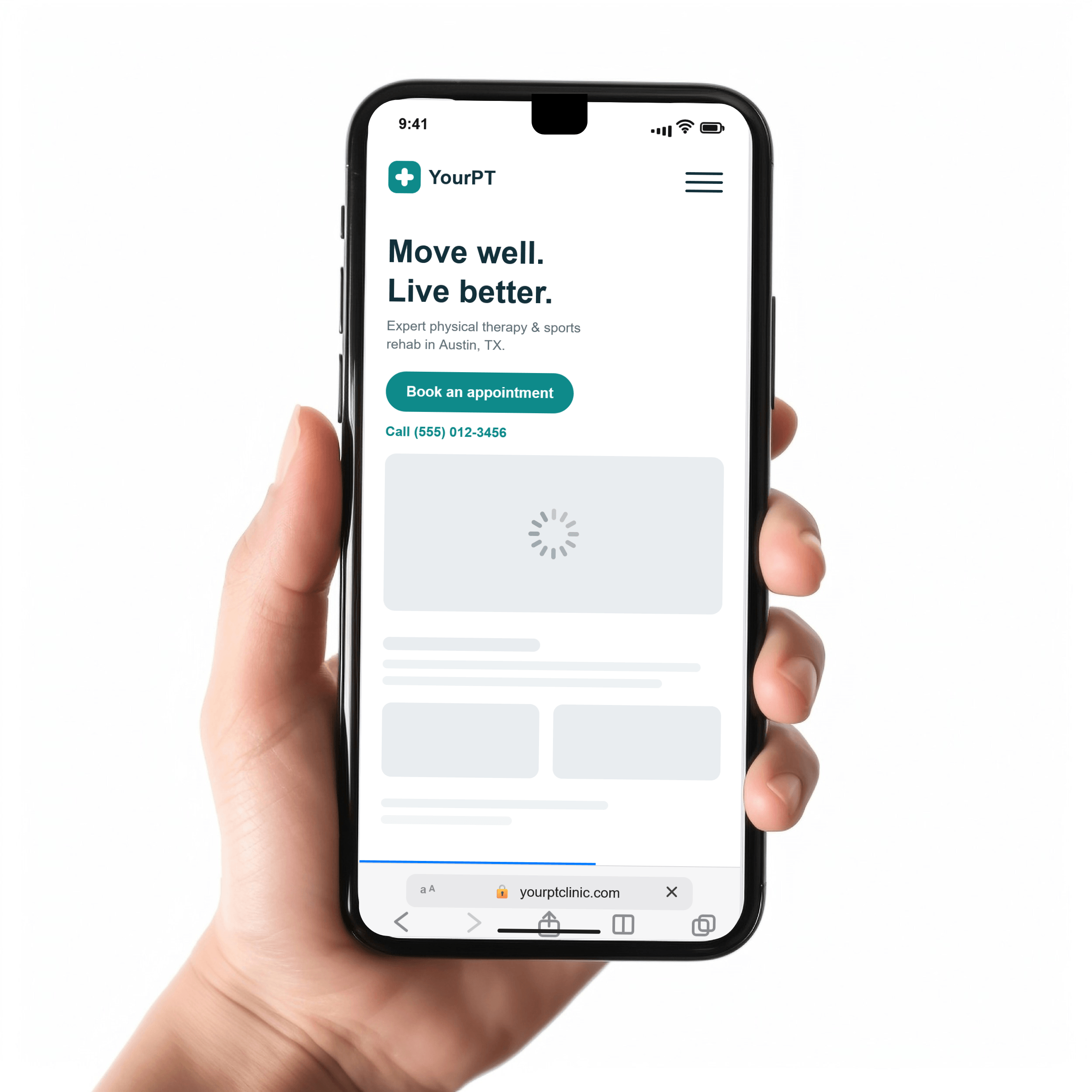
The majority of people searching for a local service — including a physical therapist — are on their phone when they do it. If your website is slow to load, hard to read on a small screen, or has text that runs off the edges, those visitors are leaving within seconds.
Speed matters too. If your site takes more than three seconds to load, a significant portion of mobile visitors won't wait.
What to do: Pull up your website on your phone right now — not through your browser history, but by actually searching for your practice name and clicking the result. Does it load quickly? Is the text readable without zooming in? Is it easy to tap the phone number? If anything feels clunky, that's what your patients are experiencing.
5. Nothing on the page builds trust quickly enough
Choosing a physical therapist is a healthcare decision. New patients — especially those who found you through Google rather than a referral — don't know you yet. They're looking for signals that you're legitimate, experienced, and worth trusting with their recovery.
A website with stock photos, no staff photos, no credentials listed, and no patient reviews doesn't give them much to work with. Even a well-designed site can fall short if it doesn't answer the basic question: why should I trust this practice?
What to do: Add a real photo of yourself or your team near the top of your homepage or about page. List your credentials and any specializations. If you have Google reviews, feature a few of them on your site. These don't have to be elaborate — a photo, a name, and a credential goes a long way toward making a first-time visitor feel like they're in capable hands.
6. You're not asking patients for reviews — and Google notices
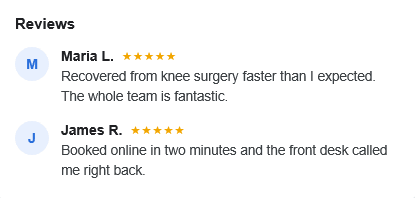
Referrals happen in person. Reviews happen online. And for someone who found you through Google rather than a recommendation, reviews are often the deciding factor between calling your practice or the one listed below you.
Google also uses them as a ranking signal. A practice with 40 recent reviews will regularly outrank one with 6, even if the website is better built. The gap compounds over time.
The problem isn't that your patients don't want to leave reviews — most satisfied patients are happy to. The problem is they're never asked. By the time they've finished their last session and gone home, the moment has passed.
What to do: Set up a simple follow-up text that goes out after a patient is discharged. Keep it short — thank them, mention that reviews help other patients find the practice, and include a direct link to your Google review page. Most practice management systems can automate this. If yours can't, even a manual text works. Consistency matters more than the method.
7. Your accepted insurances aren't listed anywhere
"Physical therapy that accepts Blue Cross" and "PT near me that takes Medicare" are real searches people make before they ever think about which specific practice to call. If your website doesn't mention which insurances you accept, you're invisible for those searches — and you're also making potential patients do extra work just to find out if they can afford to see you.
Most people won't call to ask. They'll find a practice that answers the question upfront.
What to do: Add a simple list of your accepted insurance providers to your services page or contact page. It doesn't need to be elaborate — a short paragraph or a clean list is enough. If your list is long, even naming the most common ones (Medicare, Blue Cross Blue Shield, Aetna, United Healthcare) covers the majority of searches and questions.
None of this requires a full website rebuild
A few targeted fixes can make a meaningful difference — better Google Business Profile, clearer contact options, a bit more specific content. That said, if your website is several years old and the issues run deeper, a fresh build designed around patient conversion is worth considering.
Either way, the best first step is understanding exactly what your current site is doing well and where it's falling short.
Send me your URL and I'll take a look. You'll get a plain-English report covering what's working, what isn't, and what I'd focus on first. No pitch, no obligation.